

Key Takeaways
- Start by comparing income, expenses, and savings with the previous month.
- Use categories and payment tags to identify one reason for the change.
- Choose one action for next month, then use the yearly view to separate one-time events from repeating patterns.
What do you miss when you record expenses but never review them?
If you only look at the total and think, “I spent too much again,” next month is unlikely to change. The same $100 increase could come from higher rent, a one-time medical bill, or several extra deliveries, and each cause needs a different response.
A monthly review is not a judgment of past spending. Its purpose is to find one action to change next month.
- 2 minutes: check missing and duplicate entries
- 2 minutes: compare income, expenses, and savings
- 3 minutes: find one cause in categories and tags
- 3 minutes: choose one adjustment for next month
1. Two minutes — Check large omissions and duplicates
Review large transactions, pending refunds, shared purchases, and card statement payments that may repeat purchases already recorded. You do not need to reconcile every receipt. Start with errors large enough to distort the monthly total.
2. Two minutes — Compare totals with the previous month
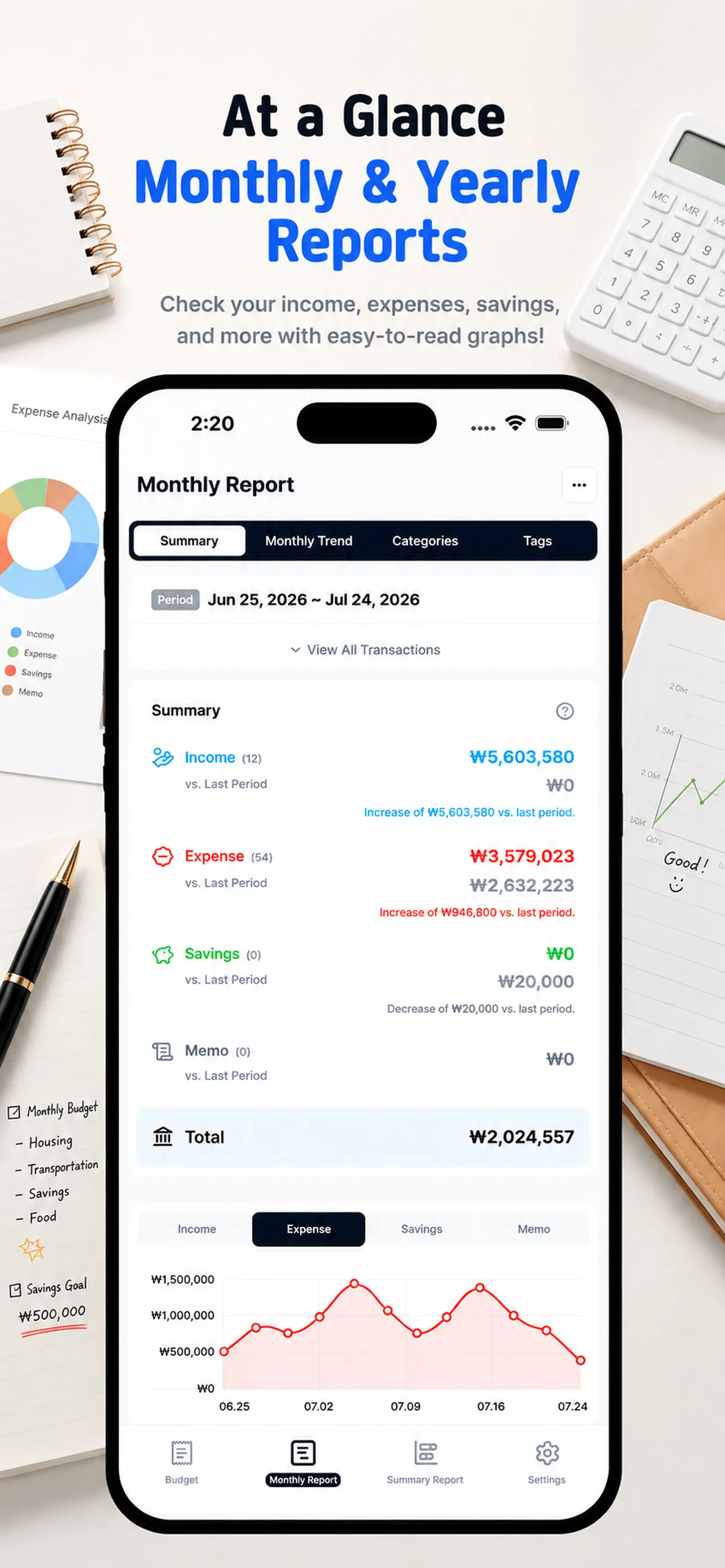
Review income and savings alongside expenses. Looking at both amounts and transaction counts helps separate many small purchases from one large event.
3. Three minutes — Find one cause in categories and tags
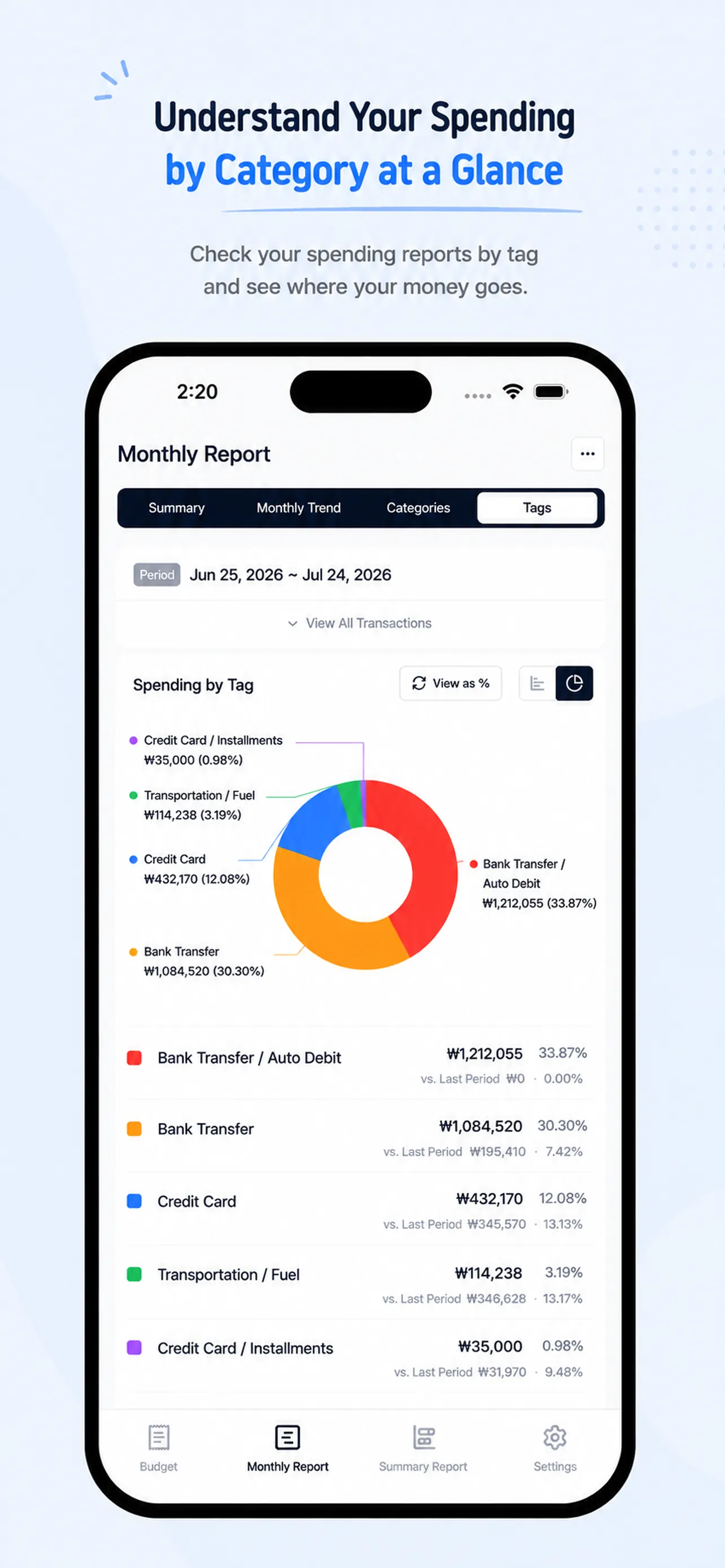
Categories show where your money went, while tags show how you paid. Choose one area that increased and inspect its entries. Replace a vague conclusion such as “food was high” with an action-level observation such as “I ordered delivery four more times.”
4. Three minutes — Choose only one change for next month
Trying to reduce food, shopping, subscriptions, and transportation at once turns a review into a punishment. Pick one concrete action, such as limiting delivery to once a week or checking one unused subscription. For a detailed setup, see our guide to a monthly target budget.
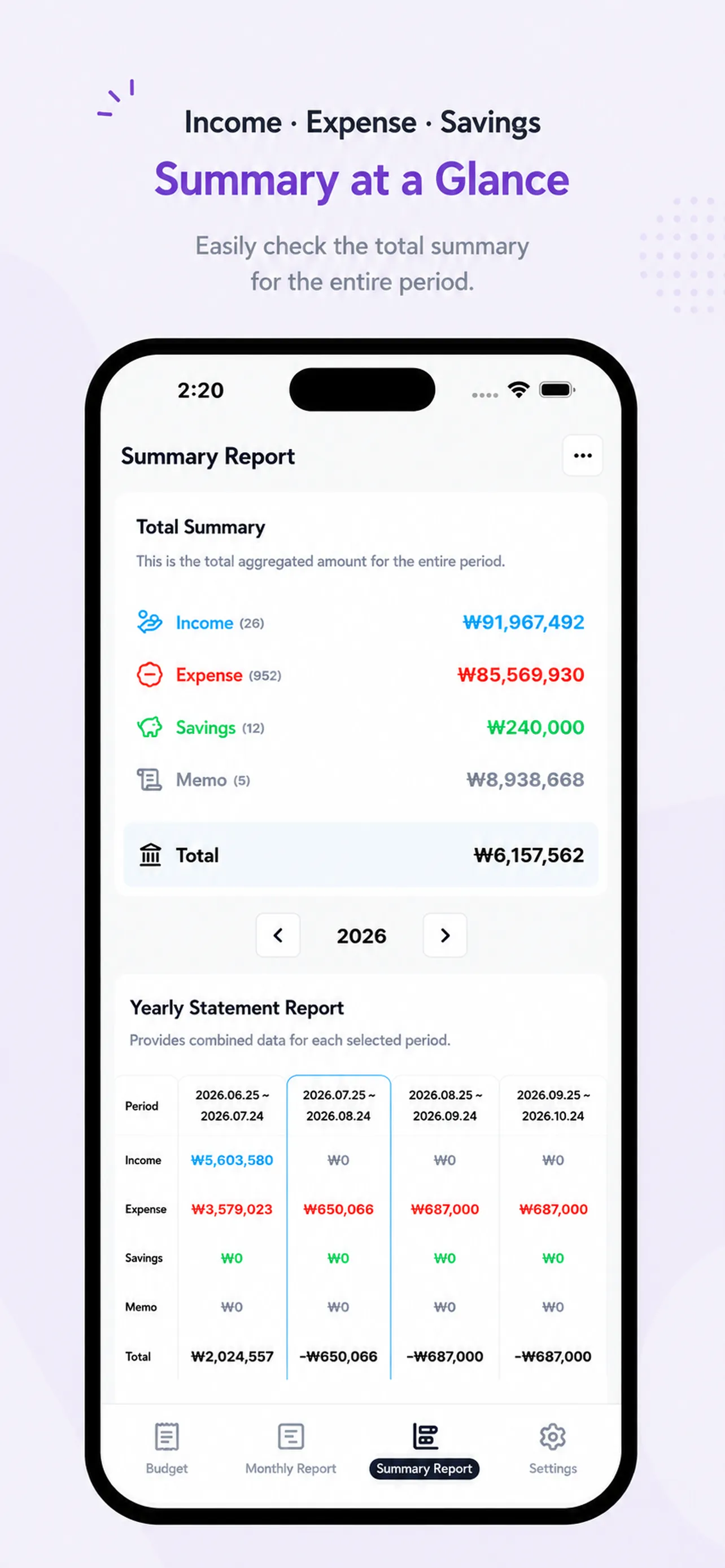
5. Use yearly totals to separate exceptions from patterns
A move, trip, or medical bill may explain one unusually expensive month. A category that rises repeatedly deserves attention next month. This yearly summary reviews personal cash flow; it is not a tax filing or tax-adjustment report.
Save your conclusion in one sentence
Write a note such as, “Food increased because of four extra deliveries; next month, limit delivery to once a week.” Learn how to structure the underlying entries in our category and payment method guide, and keep savings separate with our savings-versus-expenses guide.
Money Tracker connects daily entries with monthly, category, tag, and summary reports. Open Money Tracker and start this month's 10-minute review.
It’s easier than writing everything in detail, and it looks neat and clean.
ks***
It has exactly the features I wanted. SMS-linked apps are convenient for input, but hard to manage. This one shows income, expenses, and savings clearly in reports.
hp***
Finally settled on a budget app! I purchased it within an hour. I don’t like complicated things, and I especially love how the categories are auto-organized.
hs***