
Key Takeaways
- Categories describe what you spent money on, such as food or transportation.
- Tags describe how you paid, such as credit card, bank transfer, or cash.
- Memos preserve context you may need later, such as a pending refund or shared purchase.
Why the same money can look like two expenses
If you buy lunch with a credit card, should the budget category be Food or Credit Card? Recording the purchase as Food and then recording the card payment as another expense can count the same spending twice.
You do not need more categories. You need separate roles: categories show what you bought, tags show how you paid, and memos explain the context.
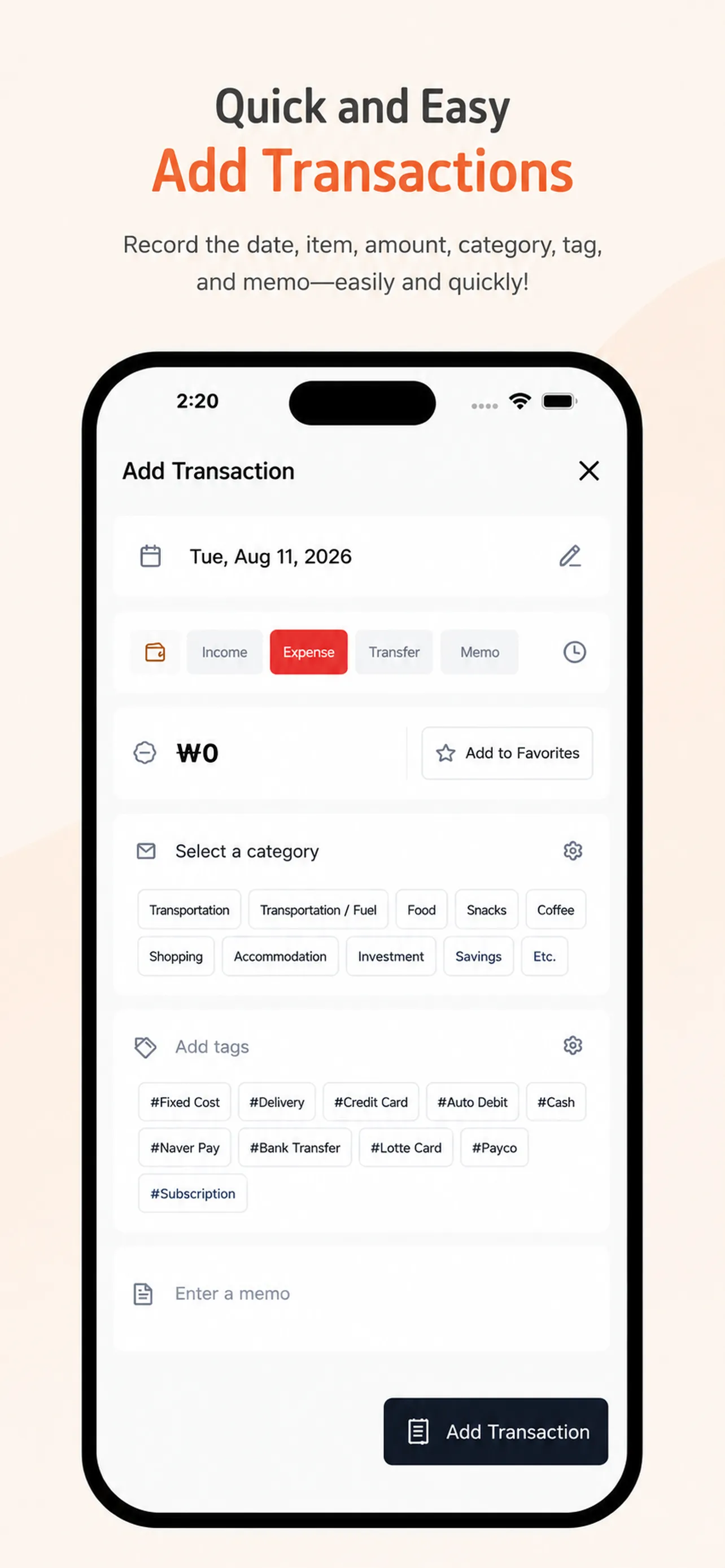
1. Use categories only for what you spent money on
Build categories around the purpose of each expense: food, transportation, housing and utilities, healthcare, or hobbies. If Credit Card and Bank Transfer become categories, it becomes harder to see how much you actually spent on food or travel.
Start with roughly eight to twelve categories you use often. Add a new one only when the same kind of expense keeps piling up under Other.
2. Add tags for how you paid
A lunch purchase can stay in Food while carrying a #CreditCard, #BankTransfer, or #Cash tag. Recurring payments can use tags such as #AutoDebit or #Subscription.
This keeps the purpose of the expense intact while letting you review how much you paid through each method.
3. Save memos for transactions that need context
You do not have to write a long note for every purchase. Add a short memo when you expect a shared-payment settlement, company reimbursement, refund, or another event that you will need to check later.
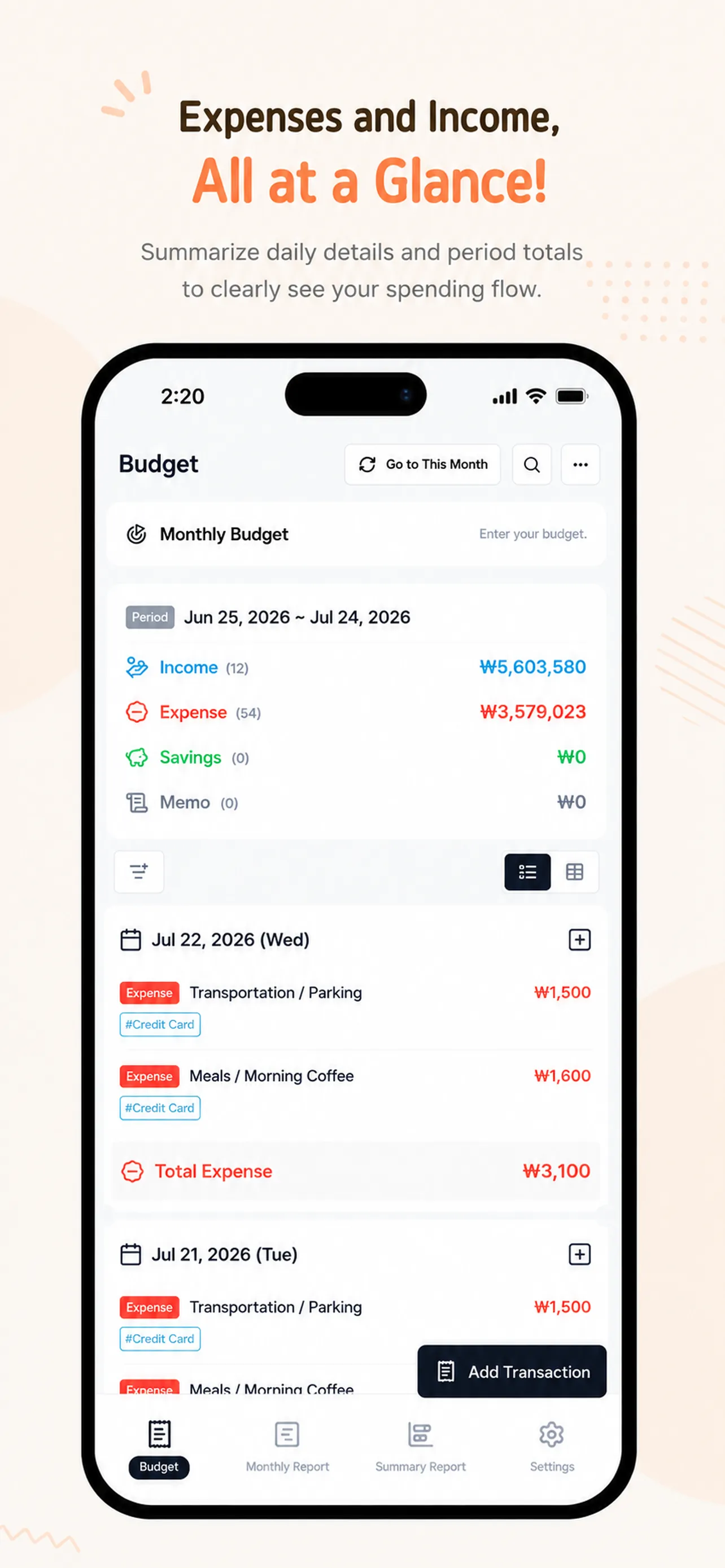
4. Avoid counting card payments and transfers twice
The most important rule is consistency. If you record a purchase when you use the card, do not record the later card statement payment as the same expense again.
For rent or utilities paid automatically, use the category that describes the expense and attach an #AutoDebit tag. For a person-to-person transfer, use a memo to distinguish a real living expense from a simple reimbursement.
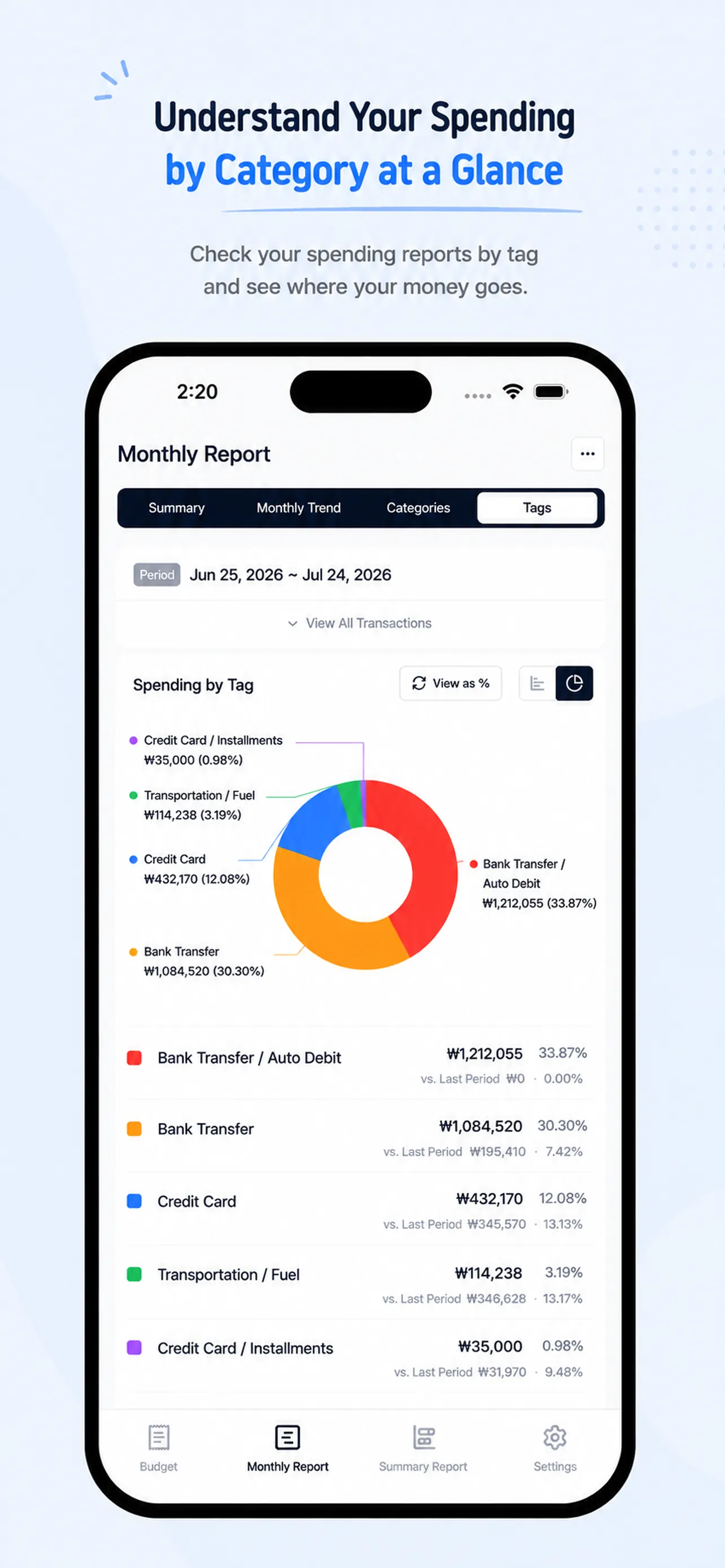
5. Review payment habits with a tag report
Once you use the same rules consistently, a tag report can show how much you paid by card, bank transfer, cash, or recurring debit. Use the numbers to choose one habit to review next month, not to judge every purchase.
Organize one transaction today with Money Tracker
Money Tracker gives you a clear place to record the date, amount, category, tags, and memo for each transaction. If you want a lighter recording routine, read our guide to a simple expense tracker.
Start with one purchase today: use the category for its purpose, the tag for its payment method, and the memo only when context matters. Open Money Tracker and build a record you can understand at a glance.
It’s easier than writing everything in detail, and it looks neat and clean.
ks***
It has exactly the features I wanted. SMS-linked apps are convenient for input, but hard to manage. This one shows income, expenses, and savings clearly in reports.
hp***
Finally settled on a budget app! I purchased it within an hour. I don’t like complicated things, and I especially love how the categories are auto-organized.
hs***