

Key Takeaways
- A new icon pairs a yellow cheering character with lavender, alongside a brighter pastel interface.
- Review workout, meal, and weight logs in the calendar and 7- or 30-day charts, and earn four badges from accumulated workout and meal records.
- Logging, the calendar, basic charts, and badges are free. Watch an ad to open one advanced report for 24 hours, or use ChakChak Plus. The app is available in Korean only.
A short note about a walk or a meal gives you something to look back on later. Daily Body (운동 착착) brings workout, meal, and weight records together in one place. The refresh introduces a new icon, an encouraging character, and a lighter interface, with a clearer path from daily entries to calendars and charts. The app interface and instructions are in Korean.

Screenshots show the Korean interface with sample records used to demonstrate features.
1. A new icon and a friendly face
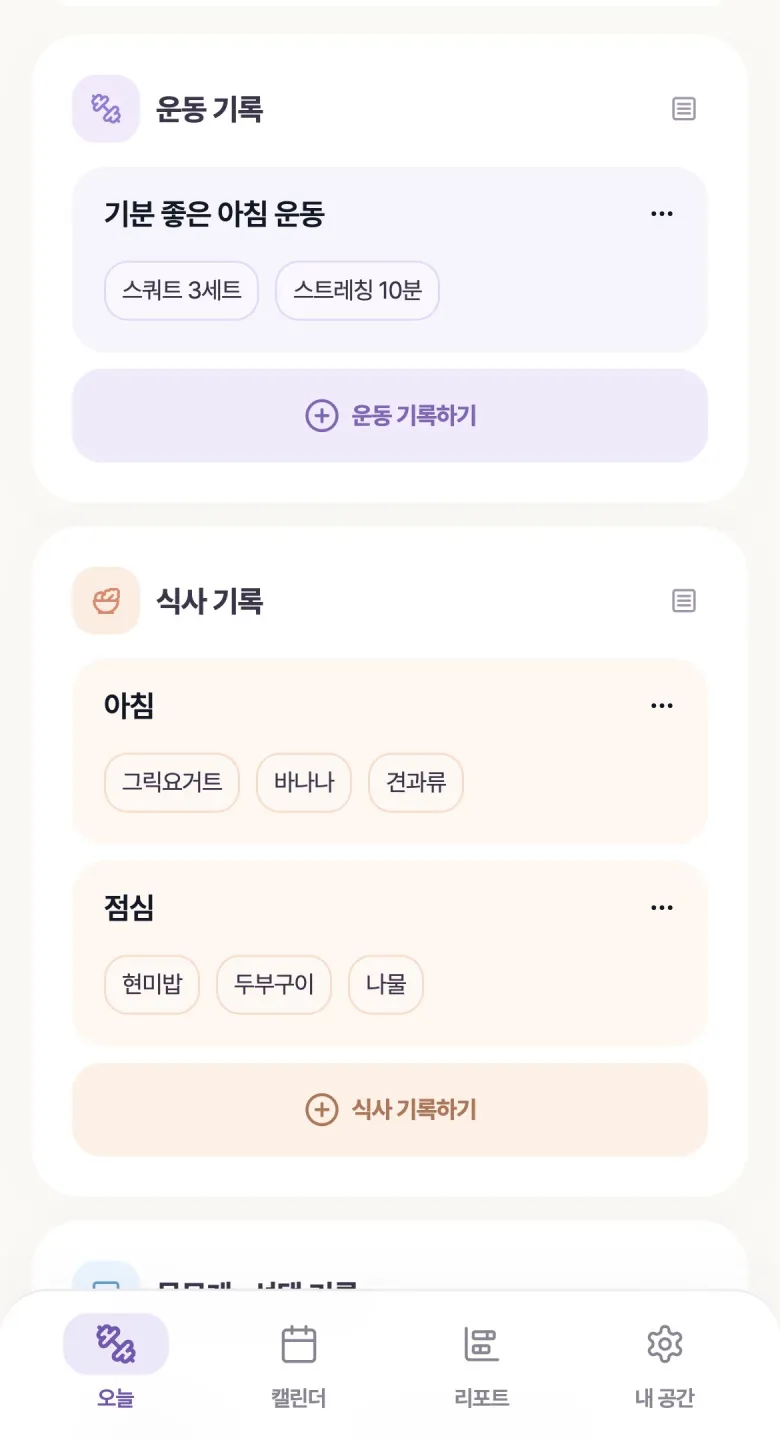
The new icon features a yellow character on a lavender background. Inside the app, pastel colors and spacious cards distinguish the different types of records. The home screen shows the days you logged over the past week and your current recording streak, offering a small moment of encouragement.

2. Log movement and meals with short keywords
Workout and meal cards are easier to scan. Add a short keyword for a walk, stretch, or breakfast, and reuse recent keywords for similar entries. Weight can be logged in the same app. A first-entry checklist and the new feature guide help you start with one item and explore the rest at your own pace.
3. From calendar dots to 7- and 30-day charts
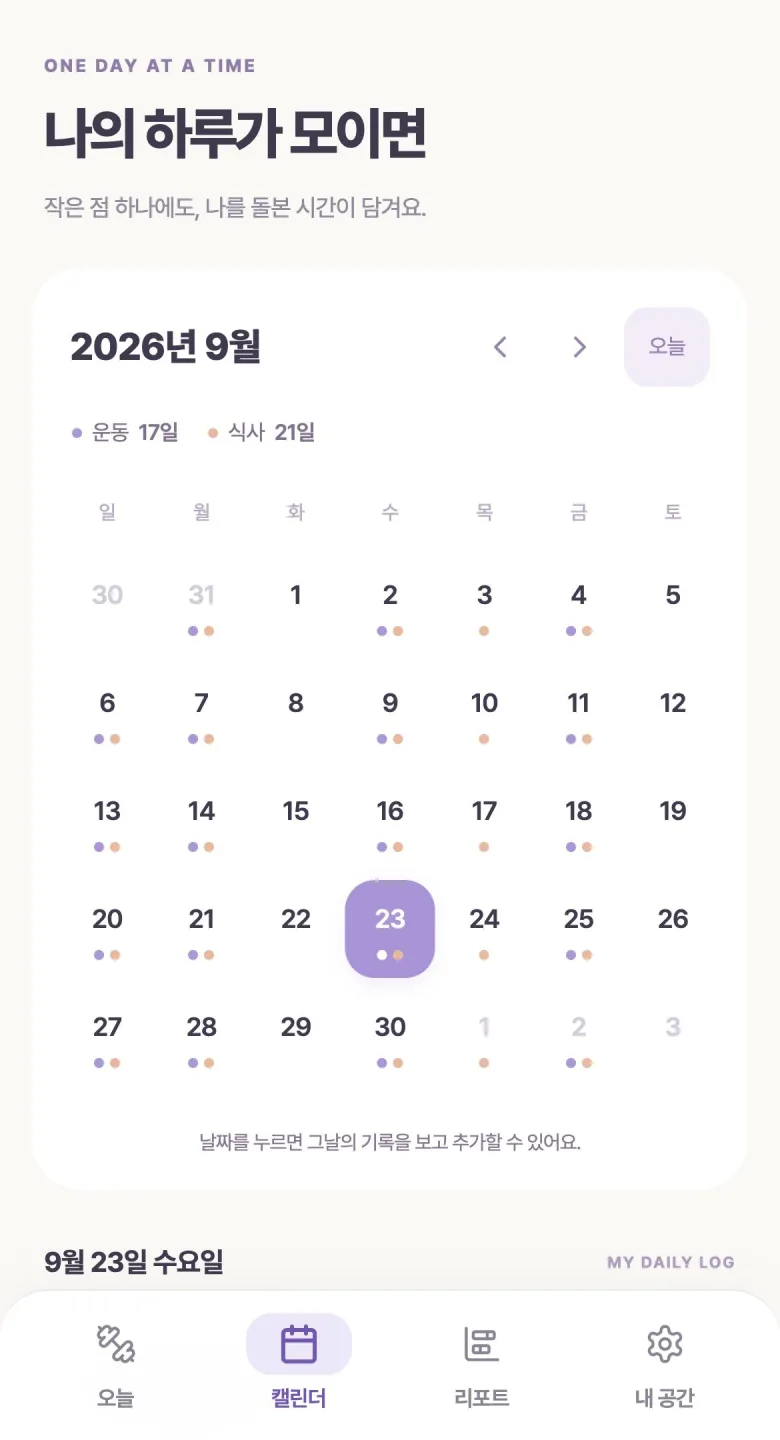
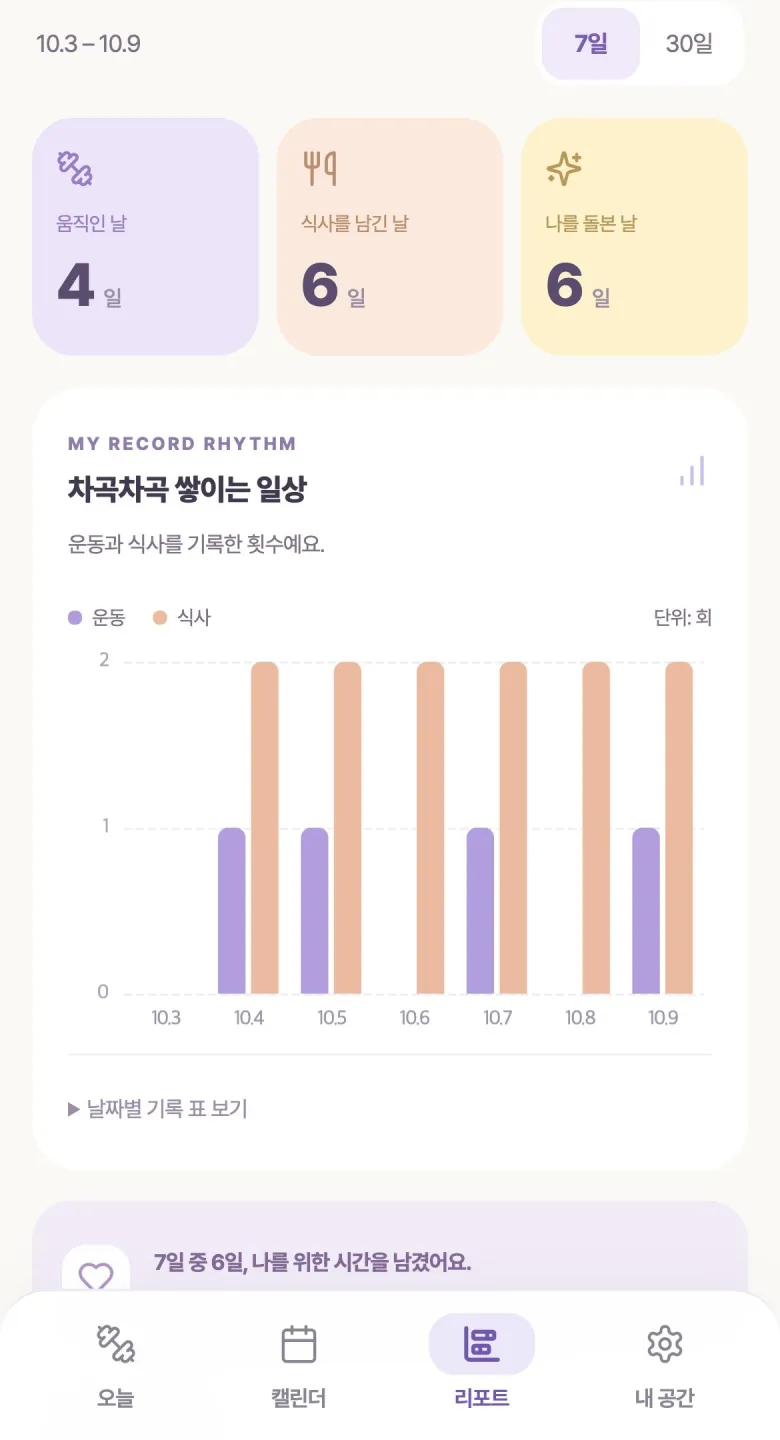
Colored dots on the monthly calendar show days with records. Select a date to revisit its entries. The rhythm report lets you choose seven or thirty days to see days with workouts, days with meal logs, and daily entry counts.
4. See weight records alongside their average
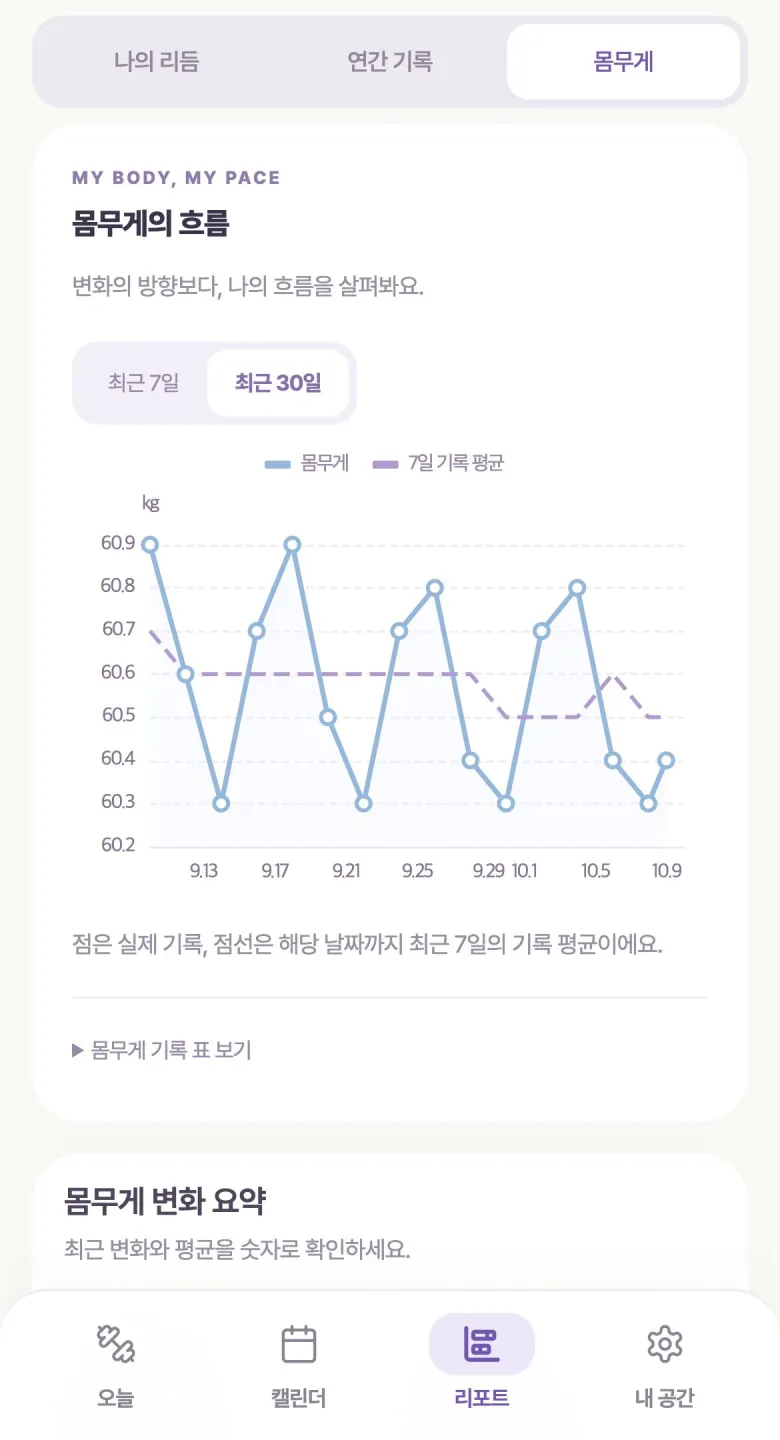
Dots on the weight chart represent entered values. The dashed line shows the average of records from the seven days up to each date. A table also lists daily values and averages. With workout and meal records in the same app, you can revisit what you logged during that period.
5. Four badges for the days you have recorded
Badges recognize a first workout or meal record, seven recorded days in total, three days with both workout and meal entries, and thirty recorded days in total. They are based on actual workout and meal records. Cumulative milestones let you continue building your collection after days away.

6. Two ways to open advanced reports
Logging, the calendar, basic charts, and badges remain free. Advanced reports compare this month with the same period last month, highlight new or more frequent keywords from the past thirty days, and summarize weight changes. Reports populate once enough relevant records are available.
Finish watching an ad to unlock that individual report for 24 hours. ChakChak Plus (착착 플러스) is a one-time purchase that removes ads and gives access to all advanced reports. Check the app for current prices and purchase terms.
7. Improved backup importing
The backup-file import process has also improved. Use the app’s backup and restore features when bringing saved records into the app, so you can keep revisiting the entries you have already made.
A small routine to begin with
- Log one workout or meal using a short keyword.
- Reuse a recent keyword for your next similar entry.
- After a few days, revisit the calendar and seven-day chart.
- Keep the items useful to you and continue at your own pace.
Small records, more room to know your day
Daily Body gives you a simple place to leave a record and return to it later. If you are comfortable using a Korean-language app and want workout, meal, and weight notes together, the refreshed design makes a welcoming place to begin. Start with one thing you did today.