
1. Start with recurring fixed expenses
Money Tracker helps you manage recurring fixed expenses. Organize those items first, then focus your review on expenses that change.
2. Understand Spending with "Pictures" (Graphs), Not Numbers
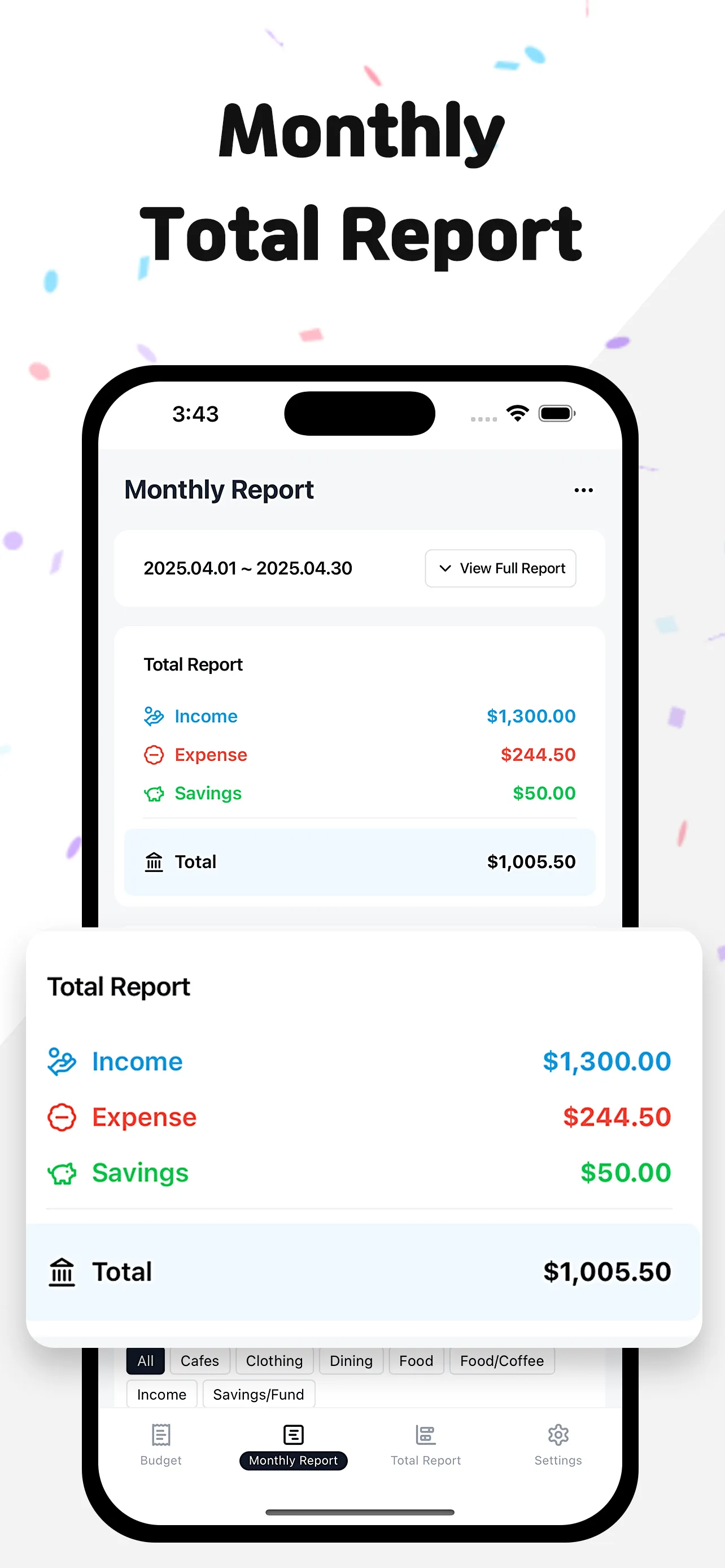
It's hard to feel where you're spending a lot just by looking at text records.
Check your monthly spending flow at a glance with intuitive charts and graphs.
"I spend this much on food?"
Visual feedback is a stronger motivation for saving than a hundred nagging words.
3. Review your budget, categories, and calendar
Anyone can easily build a system with "Money Tracker".
1. Set Target Budget: Prevent overspending by deciding your monthly budget in advance.
2. Categorize Expenses: Food, Transport, Shopping... Catch the culprit of where your money is leaking.
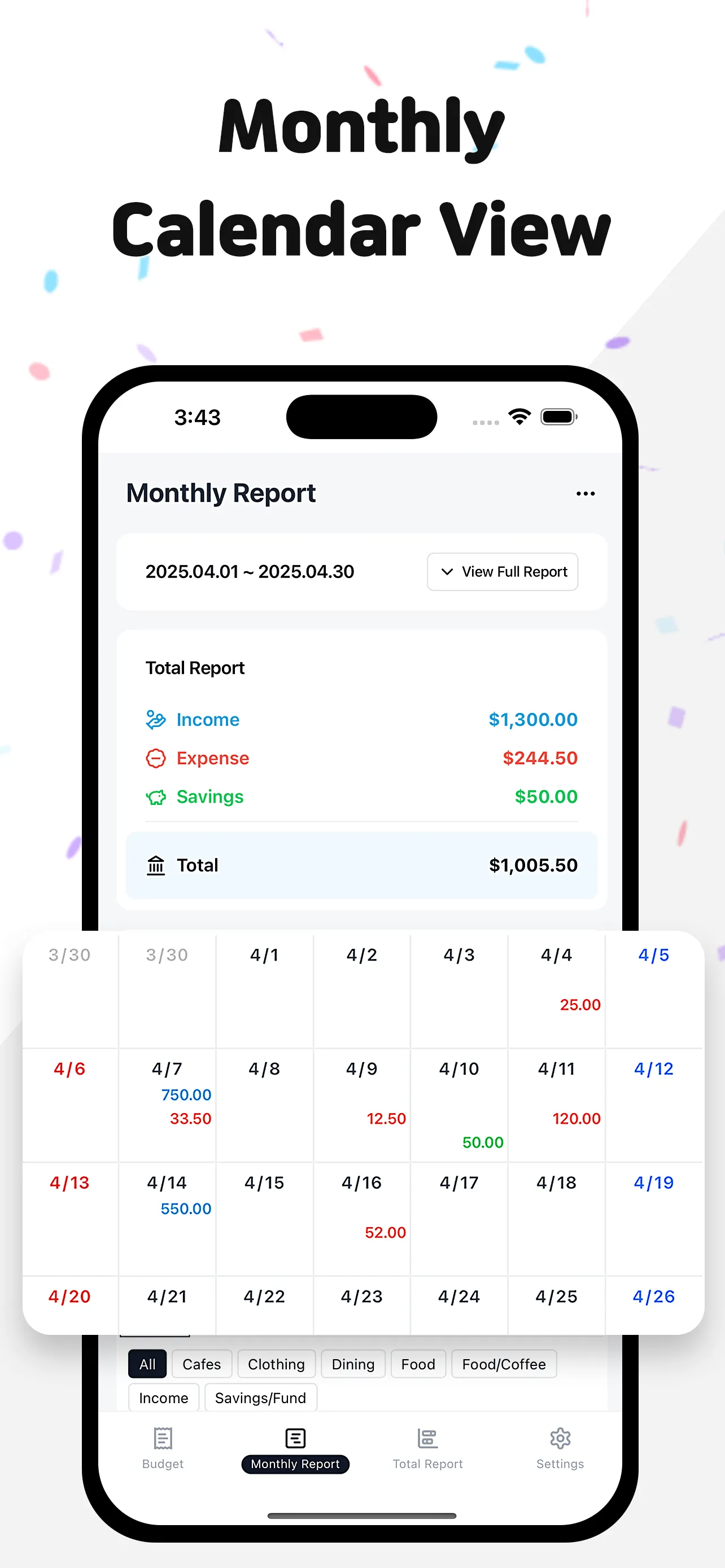
3. Calendar View: Grasp daily spending details at a glance in a calendar format and feel the satisfaction of a "No Spend Challenge".
What to check next
Set this month’s budget, categorize expenses, and review your calendar. If you often miss an item, start with that item the next time you log spending.
Read user reviews
It’s easier than writing everything in detail, and it looks neat and clean.
ks***
It has exactly the features I wanted. SMS-linked apps are convenient for input, but hard to manage. This one shows income, expenses, and savings clearly in reports.
hp***
Finally settled on a budget app! I purchased it within an hour. I don’t like complicated things, and I especially love how the categories are auto-organized.
hs***